How to Choose an Epson DTF Printer
Choosing an Epson DTF printer starts with your workflow: do you need one machine for direct-to-garment and film printing, or a dedicated system for producing transfer rolls? This collection includes hybrid Epson SureColor F1070 and F2270 printers alongside dedicated G6070 and G9070 DTF systems.
Choose Between Hybrid and Dedicated DTF Printing
The Epson SureColor F1070 and F2270 are options for shops that want to offer both DTG printing and DTF transfers. Consider this route when direct-to-garment work remains part of your business and you want to add film transfers without committing to a dedicated roll-production setup.
For a transfer-focused operation, compare the Epson SureColor G6070 35-inch and G9070 64-inch DTF printers. Start with your typical artwork sizes, order quantities, available space, and plans for growth—not print width alone.
Plan the Complete Production Workflow
Look beyond the printer when comparing packages. Before ordering, confirm what your selected configuration includes and what you need to add:
- Compatible film, ink, and adhesive powder.
- Powder application and curing equipment.
- RIP software and workflow setup.
- Appropriate ventilation or filtration.
- A heat press for garment application.
- Cleaning supplies, installation, and training.
Use an itemized quote to compare printer-only options with bundled systems. Confirm the exact equipment, supplies, and services included rather than assuming every package contains the same components.
Match Powdering and Curing to Your Workload
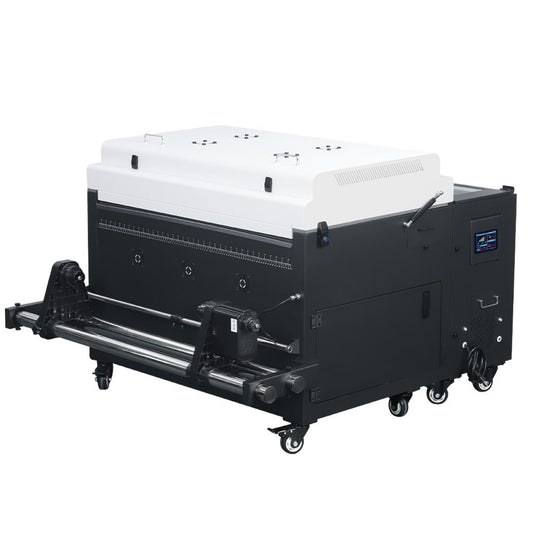
Consider how printed film will move through powder application and curing. For a dedicated roll-to-roll setup, ask about compatible automated equipment, including the DTF Station Miro shaker-dryer options offered in this collection.
Evaluate the printer and finishing equipment together. Ask for a demonstration using artwork similar to your normal orders, and compare the complete process—from preparing the file to producing a finished transfer—rather than relying only on printer speed.
Budget for Ownership, Not Just the Purchase
Build your budget around the complete setup and its ongoing requirements. Include consumables, cleaning materials, maintenance time, operator labor, and any installation or electrical work your selected equipment requires.
Confirm the correct ink and maintenance supplies for the specific printer you choose. This collection includes G6070-specific inks, cleaning products, and maintenance components; do not assume supplies are interchangeable across Epson models.
Confirm Training and Support Before Ordering
Ask who will handle installation, software setup, operator training, and service questions after delivery. Have the training format, warranty coverage, and support arrangements documented in your quote.
Lawson Workhorse Group offers Epson equipment, training, and technical support through its St. Louis and Atlanta facilities. Contact our team with your expected order volume, available floor space, and current equipment so we can help you compare suitable printer and package options.

 SaleVendor:Epson
 SaleVendor:Epson
 SaleVendor:Epson
 Vendor:Epson
 Vendor:Epson
 Vendor:Epson
 Vendor:Epson
 Vendor:Epson
 Vendor:Epson
 Vendor:DTF Station
 Vendor:DTF Station


