How to Choose Epson F1070 Supplies
Start with the task you need to complete: replenishing ink, maintaining the printer, printing directly onto garments, or producing DTFilm transfers.
Then select supplies around your exact printer, garment, and process. Products displayed in the same collection should not be assumed interchangeable or suitable for every F1070 application.
1. Separate Your DTG and DTFilm Supply Lists
DTG and DTFilm share a printer platform but use different preparation and finishing workflows.
For direct-to-garment printing, review:
- Garment fabric and color.
- Appropriate pretreatment, where required.
- Suitable platen and loading arrangement.
- Printing and curing instructions.
- Finished-garment care requirements.
For direct-to-film transfers, review:
- Compatible transfer film.
- Supported film dimensions and loading method.
- Adhesive powder.
- Powder application and curing equipment.
- Heat-press application.
- Film-peeling and finishing instructions.
Do not apply garment pretreatment to transfer film unless explicitly directed by the relevant manufacturer’s instructions.
2. Choose UltraChrome DG2 Ink by Product Code
The Epson F1070 uses UltraChrome DG2 ink in 250 mL ink supply units. Select the required color and confirm the complete product code before purchasing.
Check:
- Full printer model.
- UltraChrome DG2 ink family.
- Required color.
- Container capacity.
- Individual pack or set.
- Package quantity.
Do not assume that UltraChrome DG, DG2, or another Epson ink family can be substituted because the names are similar.
If the current ink cannot be identified, provide a photo of its label before ordering.
3. Identify the Exact Maintenance Product
The collection includes separately named cleaning, maintenance, wiper, and waste-ink products. Their names do not make them interchangeable.
Before purchasing, identify:
- The printer prompt or maintenance task.
- The product name used in the F1070 documentation.
- The required product or part number.
- Package contents.
- Replacement or cleaning instructions.
A cleaning supply, wiper unit, and waste-ink component serve different purposes. Do not choose one based only on a similar listing name.
4. Plan for Routine Care and Extended Inactivity
Follow Epson’s F1070 maintenance guidance rather than using a generic schedule from another printer.
Review the supplies needed for:
- Routine inspections and cleaning.
- Ink handling.
- Replacement components.
- Waste-ink handling.
- Any manufacturer-specified storage procedure.
If you expect the printer to remain unused for an extended period, review the current F1070 storage instructions before shutting down or leaving it idle. Confirm the required cleaning supplies and the procedure for returning it to service.
Do not improvise a storage procedure from the terms “cleaning cartridge” or “maintenance cartridge.”
5. Select Pretreatment for the Fabric and Application
Choose pretreatment around the garment material, ink application, and F1070 instructions—not simply the garment’s color.
Confirm:
- Fabric composition.
- Garment color.
- Intended ink application.
- Pretreatment product.
- Concentrate or ready-to-use format.
- Required preparation and application procedure.
- Drying or pressing instructions.
A product listed for polyester should not automatically be chosen for cotton, and a general DTG pretreatment listing does not establish F1070 compatibility.
Follow the exact product and printer guidance. Test unfamiliar garment and pretreatment combinations before production.
6. Choose a Platen for the Garment and Print Location
Compare platen dimensions with the garment’s loading requirements and the intended artwork.
Review:
- Explicit F1070 compatibility.
- Mounting arrangement.
- Usable print area.
- Garment loading and positioning.
- Clearance around seams or raised areas.
- Required grip pads or accessories.
This collection includes both F1070-specific and broader Epson DTG platen listings. Do not assume that every Epson platen fits the F1070 or that matching dimensions establish compatibility.
For sleeves, youth garments, or small print locations, request confirmation of a suitable model-specific option.
7. Match Grip Pads and Tools to the Platen
Before ordering a grip pad or related tool, confirm the exact platen and intended use.
Check:
- Supported platen model.
- Dimensions.
- Attachment method.
- Loading instructions.
- Package contents.
- Any installation or replacement requirements.
A grip pad and a garment platen are separate products. Verify what is included rather than assuming they are supplied together.
8. Choose DTF Film by Format and Processing Requirements
Compare available film with the F1070’s supported media-loading procedure and your transfer workflow.
Confirm:
- Sheet or roll format.
- Actual film dimensions.
- Usable print area.
- Loading and positioning requirements.
- Compatibility with your ink and adhesive.
- Curing and application instructions.
- Peeling and finishing procedure.
Do not assume a roll listing is ready to load directly into the F1070. Confirm the required format and preparation before purchasing.
Hot-peel, instant-peel, and hybrid film names do not establish identical settings or results.
9. Select Powder as Part of the Transfer System
Evaluate adhesive powder alongside your film, ink, garment, and curing process.
Provide:
- Exact film product.
- Installed ink.
- Garment fabric and color.
- Powdering method.
- Curing equipment.
- Heat press.
- Required finished-product performance.
Do not assume that fine-ground powder is automatically the best choice for every job or that a collection listing alone establishes tested compatibility.
Request process guidance and complete the recommended application and care testing before production.
10. Review Storage, Handling, and Purchase Details
Follow product labels, safety documentation, and F1070 instructions for storage and handling.
Before checkout, verify:
- Exact product and variant.
- Printer compatibility.
- Color, size, or part number.
- Package quantity.
- Current purchasing information.
- Applicable return terms.
- Any required technical documentation.
Avoid purchasing from a starting price alone. A listing may represent one ink color, one accessory, or a particular size rather than a complete set.
Before You Order: F1070 Supply Checklist
Have these details ready when contacting Lawson Workhorse Group:
- Printer: Full model name and serial number.
- Workflow: DTG, DTFilm, maintenance, or storage preparation.
- Product needed: Ink, cleaning supply, replacement component, platen, pretreatment, film, or powder.
- Existing item: Product code and label photos.
- Garment: Fabric composition, color, and print location.
- Artwork: Required print dimensions.
- Current consumables: Ink, film, powder, and pretreatment details.
- Equipment: Curing and heat-press setup.
- Maintenance context: Exact printer message or procedure.
- Product of interest: Listing name or link.
Get Help Choosing F1070 Supplies
Contact Lawson Workhorse Group with your printer details and intended application. Include current supply labels and the products you are considering.
If you are troubleshooting, describe the symptoms, error messages, and recent changes separately. Purchasing replacement ink or a maintenance component should follow identification of the appropriate next step.
Request F1070 Supply Assistance

 SaleVendor:Epson
 Vendor:Epson
 Vendor:Epson
 Vendor:Epson
 Vendor:Epson
 Vendor:Epson
 Vendor:Epson
 Vendor:Lawson Workhorse Group (LWG)
 Vendor:AlbaChem
 SaleVendor:Epson
 Vendor:Epson
 Vendor:Epson
 Vendor:Lawson Workhorse Group (LWG)
 Vendor:Epson
 Vendor:Lawson Workhorse Group (LWG)
 Vendor:Lawson Workhorse Group (LWG)
 Vendor:Epson
 Vendor:Epson
 Vendor:Epson
 SaleVendor:Lawson Workhorse Group (LWG)
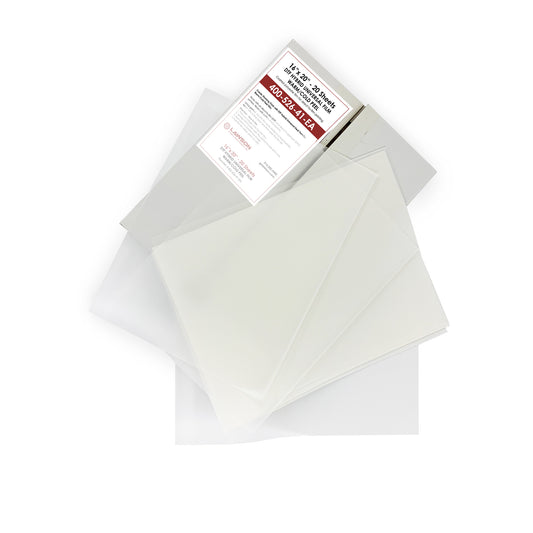 Vendor:Lawson Workhorse Group (LWG)
 SaleVendor:Lawson Workhorse Group (LWG)
 SaleVendor:Lawson Workhorse Group (LWG)
 Vendor:Lawson Workhorse Group (LWG)
 SaleVendor:Lawson Workhorse Group (LWG)
 Vendor:Lawson Workhorse Group (LWG)


