


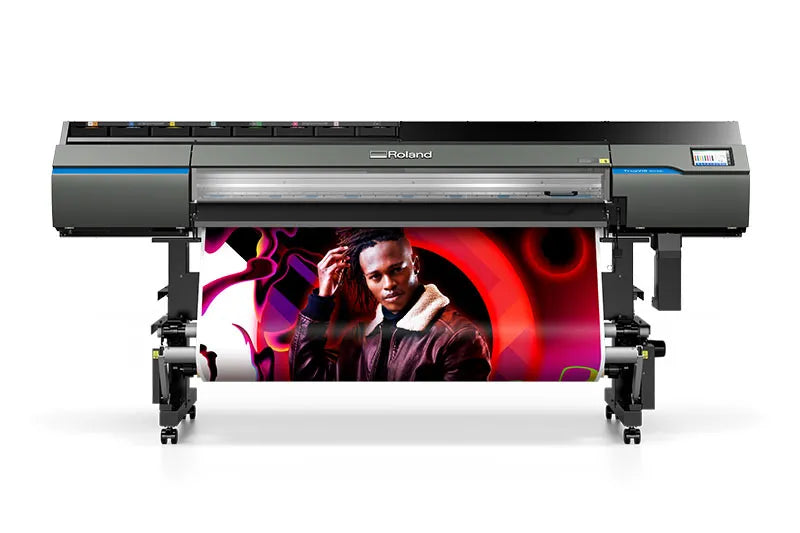
TrueVIS VG3 Large-Format Inkjet Printer/Cutters
TrueVIS VG3 Large-Format Inkjet Printer/Cutters
Couldn't load pickup availability
Payment & Security

Your payment information is processed securely. We do not store credit card details nor have access to your credit card information.

- DESCRIPTION
- Specifications
- REVIEWS
Professionals Love The True Vis VG3 Large Format Inkjet Printer/Cutters
When sign and graphics professionals demanded even more from our award-winning TrueVIS large format inkjet printer/cutters, we answered. With automated features, added usability, and even greater color choice, TrueVIS VG3 printer/cutters have been greatly enhanced to further exceed the print quality, productivity, and uncompromising needs of today’s sign and graphics professionals.
- Increased productivity through user enhancing features such as a 7-inch LCD touch-panel control, auto-calibration, and other intuitive, automated tools
- Further expand your gamut and output color with smoother color transitions— 8-color ink configurations offer even more color choice
- Four FlexFire printheads combine with other powerful printing and cutting features for the most accurate, on-color, and on-brand custom graphics.
Engineered to exceed the quality and production needs of today’s most demanding professionals, the TrueVIS VG3 is everything you could ever want in a printer/cutter and a whole lot more.
The VG3 large format inkjet printer/cutter offers you comprehensive color choices, improved machine efficiency, and increased print and cut accuracy for true unattended production. Featuring new inks and color modes for detailed color reproduction. Crank out thousands of posters, produce prints on specialty materials, or create vehicle graphics with exact brand colors to meet the exacting standards of both you and your clients. Increased print/cut accuracy and smart new automated pinch rollers.
Get Amazing Color From TrueVis VG3
Multi-award winning TrueVIS large format inkjet printer/cutters provide head-turning color and image quality to give you an edge over your competition. Engineered in Japan with uncompromising attention to detail and ever-lasting machine reliability, the VG3 is designed for passionate professionals like you, who need quality, dependability and versatility to build new levels of business success.
VersaWorks 6 RIP Software Included
Effortlessly manage your print output with the latest edition of the world's most popular wide-format print RIP software. In addition to all the cropping, tiling, nesting, color libraries and other popular features, it includes improved speed and file handling, five print queues and hot folders with unlimited queue settings, and new color matching features to replicate color output between Roland devices.
Available in 2 sizes:
- 64" VG3-640
- 54" VG3-540
Key Features
- TR2 Inks - New Ink and Color Modes
- Increased Print/cut accuracy
- FlexFire Printheads
- Automatic Princh Rollers
- New Smart Media Clamps
- 7" LCD Control Panel
Ink Configurations
- Dual CMYK
- CMYKLcLmOrGr
- CMMYKLkOrGr
- CMYKLkOrGrWh
- CMYKLcLmLkWh
- CMYKLcLmLkOr
Technical FAQ: Choosing the Right Screen Printing Mesh Count
What mesh count is best for printing glitter and shimmer inks?
Use a low mesh count between 24 and 86 for glitter and shimmer inks. Larger glitter flakes require very open meshes such as 24/25, 38/40, or 60/61 to allow particles to pass through without clogging. For finer shimmer inks or foil adhesives, an 85/86 mesh provides better control while still allowing adequate ink flow.
Why is 110 mesh commonly used in garment screen printing?
A 110 mesh count is widely used because it delivers a heavy ink deposit, making it ideal for bold graphics, block text, and high-viscosity plastisol inks. It is especially effective for white underbases, allowing printers to achieve strong opacity in a single pass and improve production efficiency.
What mesh count should I use for thick white plastisol ink?
A 125 mesh count is a strong choice for thick white plastisol inks. It balances ink flow and detail, offering slightly finer resolution than 110 mesh while still maintaining enough openness to prevent clogging or poor ink release.
What is the best all-purpose mesh count for t-shirt printing?
A 156/160 mesh count is considered the best general-purpose option for screen printing on garments. It works well with both plastisol and water-based inks, providing good detail retention while maintaining consistent ink coverage across most designs.
How can I achieve a soft-hand feel when printing with plastisol ink?
To create a softer print with plastisol ink, use a higher mesh count such as 196/200. This reduces the amount of ink deposited on the garment, resulting in a lighter, smoother feel. Keep in mind that higher mesh counts may reduce opacity, making this approach best for lighter fabrics or fashion prints.
What mesh count is ideal for halftones and fine detail printing?
A 230 mesh count is ideal for halftones, fine lines, and detailed artwork. It allows for precise stencil definition and clean ink transfer. For very fine detail or thinner inks, a 280 mesh count can further improve sharpness and control.
When should I use a 305 mesh screen for screen printing?
A 305 mesh count is best for ultra-fine detail, including small halftone dots, CMYK process printing, and simulated process designs. The higher thread count ensures accurate dot reproduction and prevents distortion, resulting in sharper, more professional prints.