


xTool DTF Apparel Printer
xTool DTF Apparel Printer
Couldn't load pickup availability
Payment & Security

Your payment information is processed securely. We do not store credit card details nor have access to your credit card information.




- DESCRIPTION
- Packages
- REVIEWS
xTool Apparel Printer: Revolutionize Your Custom Apparel Business
Step into a new era of DTF (Direct-to-Film) apparel printing with the xTool Apparel Printer – the ultimate all-in-one solution designed for effortless, professional-grade customization. Whether you're a print-on-demand entrepreneur, on-site personalization provider, enterprise merch creator, or DIY enthusiast, this innovative machine transforms ideas into vibrant, durable prints with just one click.
Key Features That Set It Apart
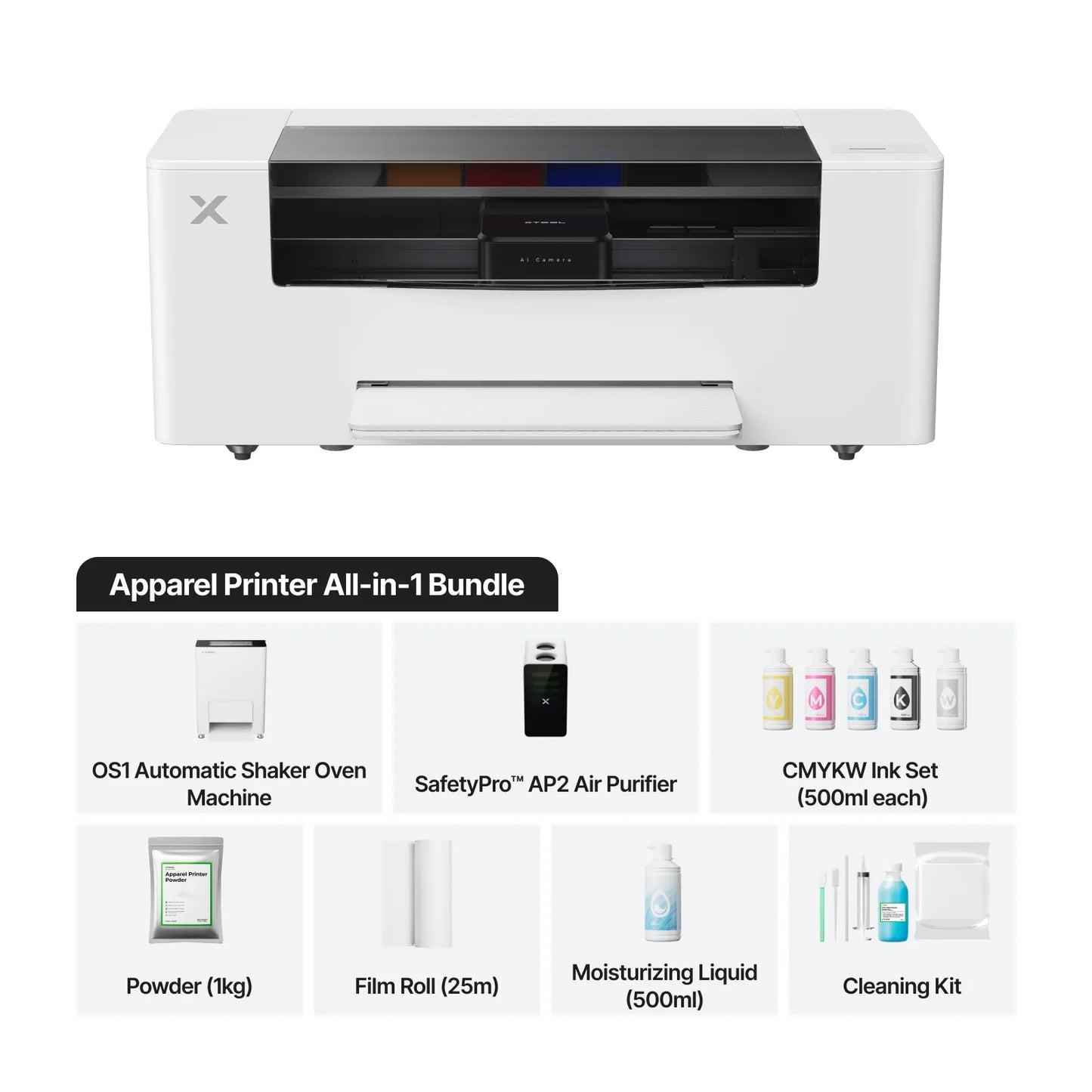
- One-Click Print-to-Bake Automation: Experience a seamless workflow with dual Epson I1600 print heads (one for vibrant colors, one for white ink), automatic film cutting, powder distribution, and transport to the integrated oven. No manual intervention required – from printing to double-sided baking in minutes.
- SmartCycle™ 24/7 Maintenance: Automatic printhead moisturizing, white ink circulation, and cleaning ensure your printer stays in peak condition without downtime.
- High-Efficiency Production: Achieve up to 50 sq ft/hour, completing 14-inch prints in just 2 minutes. Handle high-volume orders effortlessly, like 440 small designs or 88 medium-sized graphics per hour.
- G7 Certified Color Accuracy: Calibrated for consistent, professional reproduction with HD resolution, sharp details, and flawless results on both light and dark fabrics.
- Versatile Fabric Compatibility: Print on virtually anything – cotton T-shirts, hoodies, spandex, denim jackets, polyester hats, canvas bags, shoes, pillows, and more. Create full-color photos, graphics, text, cartoons, and custom designs that pop with vibrancy and durability (even after multiple washes).
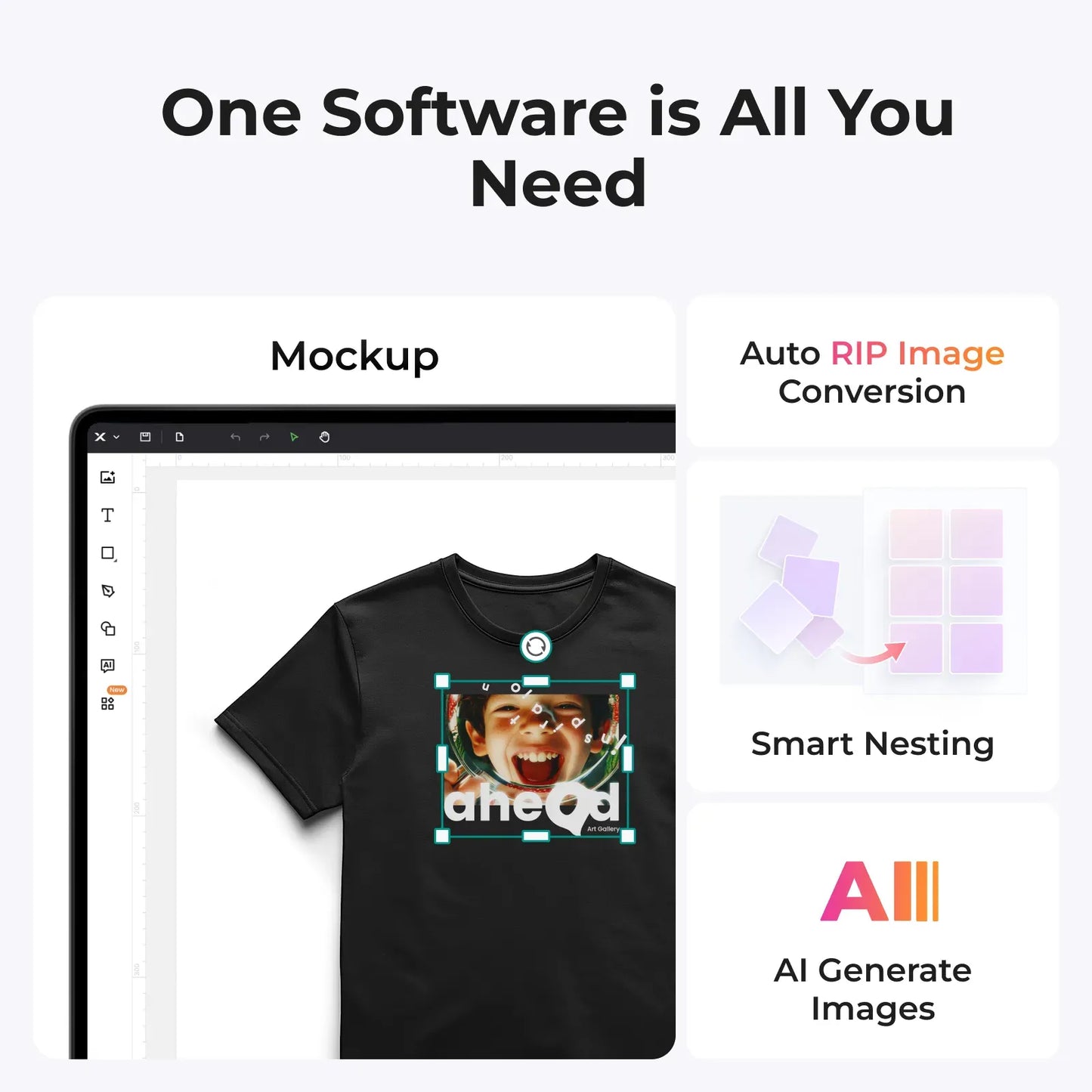
- Powerful xTool Creative Space Software: Intuitive all-in-one tool (Windows/Mac compatible) with AI image restoration/generation, smart nesting, auto RIP conversion, mockup previews, and cost calculation for maximum profitability.
- Innovative Compact Design: Features a 3-in-1 shaker oven (half the size of competitors), pioneering powder recirculation for waste reduction, and a 16MP AI camera for precise auto-calibration.
Why Choose xTool Apparel Printer?
Say goodbye to complicated setups, manual labor, and inconsistent results from traditional methods or cheaper printers. With unprecedented ease – no skills required – and features like printer-to-oven automation and self-maintenance, you'll unlock faster turnarounds, reduced waste, and stunning quality that builds your reputation. Users rave: "It helped us earn $600 in just 5 hours" and "The quality is effortless and flawless."
Perfect for boosting sales with on-demand personalization, scaling your business, or creating unique DIY gifts. Start your apparel printing journey today and see how quickly it pays for itself!
Technical FAQ: Choosing the Right Screen Printing Mesh Count
What mesh count is best for printing glitter and shimmer inks?
Use a low mesh count between 24 and 86 for glitter and shimmer inks. Larger glitter flakes require very open meshes such as 24/25, 38/40, or 60/61 to allow particles to pass through without clogging. For finer shimmer inks or foil adhesives, an 85/86 mesh provides better control while still allowing adequate ink flow.
Why is 110 mesh commonly used in garment screen printing?
A 110 mesh count is widely used because it delivers a heavy ink deposit, making it ideal for bold graphics, block text, and high-viscosity plastisol inks. It is especially effective for white underbases, allowing printers to achieve strong opacity in a single pass and improve production efficiency.
What mesh count should I use for thick white plastisol ink?
A 125 mesh count is a strong choice for thick white plastisol inks. It balances ink flow and detail, offering slightly finer resolution than 110 mesh while still maintaining enough openness to prevent clogging or poor ink release.
What is the best all-purpose mesh count for t-shirt printing?
A 156/160 mesh count is considered the best general-purpose option for screen printing on garments. It works well with both plastisol and water-based inks, providing good detail retention while maintaining consistent ink coverage across most designs.
How can I achieve a soft-hand feel when printing with plastisol ink?
To create a softer print with plastisol ink, use a higher mesh count such as 196/200. This reduces the amount of ink deposited on the garment, resulting in a lighter, smoother feel. Keep in mind that higher mesh counts may reduce opacity, making this approach best for lighter fabrics or fashion prints.
What mesh count is ideal for halftones and fine detail printing?
A 230 mesh count is ideal for halftones, fine lines, and detailed artwork. It allows for precise stencil definition and clean ink transfer. For very fine detail or thinner inks, a 280 mesh count can further improve sharpness and control.
When should I use a 305 mesh screen for screen printing?
A 305 mesh count is best for ultra-fine detail, including small halftone dots, CMYK process printing, and simulated process designs. The higher thread count ensures accurate dot reproduction and prevents distortion, resulting in sharper, more professional prints.